AI Course for Beginners: What to Look For Before You Start
A good AI course for beginners teaches you one skill, writing clear instructions for an assistant, and then makes you use it on your own work every day until it is a habit. Most beginners do not fail because AI is hard. They fail because the course was a pile of videos about tools, and nothing they watched ended in something they could use on Monday morning.
This guide lays out what a beginner course has to contain, what to skip, and how 28-Day AI Challenge from Promptia is built, so you can compare any course against the same checklist.
What "beginner" really means with AI
A beginner is someone who has opened ChatGPT once or twice, typed a question, got a vague answer and closed the tab. They are not missing intelligence or technical background. They are missing three things:
- a way to ask that produces useful answers,
- a reason to come back tomorrow,
- someone, or something, telling them whether what they did was good.
A beginner course has to deliver those three, in that order. Anything that begins with how neural networks work, the history of the field or a tour of fifty tools is written for the instructor, not for you.
The five things a beginner course must teach
1. How an assistant actually behaves
The first lesson should explain, in a few lines, that an AI assistant predicts likely text from what you give it. It does not look up the truth, it builds the most plausible answer. That single idea explains most disappointments: the assistant guesses facts you never supplied, so you have to supply them.
2. The anatomy of a prompt
A prompt that works usually has four parts: a role (who the assistant should be), context (what is going on), a task (what you want done) and a format (what the result should look like). Compare:
Write an email about the delay.
with
You are a customer support lead. A client's order is 4 days late because of a supplier problem. Write a calm 120-word email that apologizes once, gives the new date and offers a 10% credit. Use a short subject line.
The second one is not "better prompt engineering" in any mysterious sense. It is just a complete brief. A course should make you write ten of these until it is automatic.
3. Iteration
Nobody gets the right answer on the first message. The skill is following up in specific ways: "shorter", "make the second paragraph more direct", "give me three alternatives", "now in a table". A beginner course should teach a three-round habit so you stop treating the first answer as final.
4. Verification
Assistants make things up with total confidence. A course that does not spend a whole lesson on checking numbers, names and sources is doing you a disservice. The practical rule is simple: anything you will send, publish or decide on gets checked against a source you trust.
5. Application to your job
Generic examples fade. A teacher needs lesson outlines, a support rep needs reply drafts, an office administrator needs schedules and summaries. The best beginner courses change the examples according to who you are.
How long should it take?
The honest answer is: shorter than you think, and longer in calendar time. Fifteen minutes a day for four weeks beats a weekend marathon, for the same reason that daily practice beats cramming in any skill. You write a prompt, see the result, tomorrow you remember what worked.
Look for courses where each day has:
- a micro-lesson you can read in five to ten minutes,
- one exercise tied to a real task,
- a short check, such as two quiz questions, so you know the idea landed.
How 28-Day AI Challenge is built
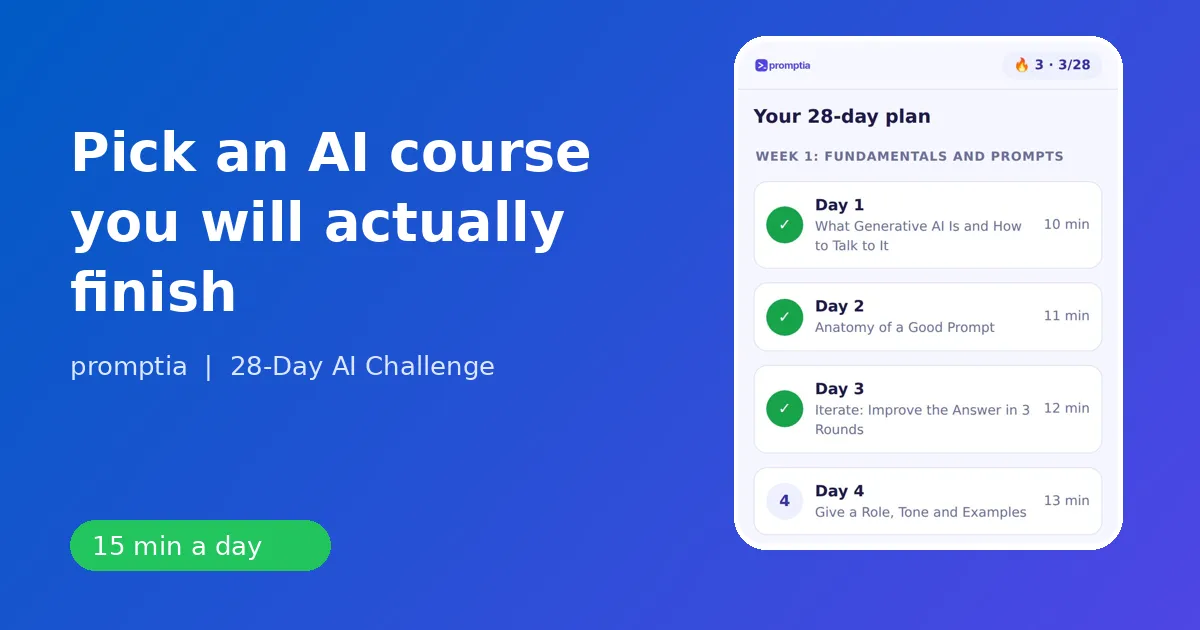
28-Day AI Challenge is a 28-day challenge delivered as a web app, with about 15 minutes per day. The days run from 10 to 15 minutes and are grouped into four weeks:
| Week | Focus | Sample days |
|---|---|---|
| 1 | Fundamentals and prompts | Anatomy of a good prompt, iterating in 3 rounds, verifying answers |
| 2 | Writing and analysis with ChatGPT and Claude | Professional emails, long documents, tables, meeting minutes |
| 3 | Images, video and presentations | Image prompts, an 8-slide deck, a 30-second vertical video |
| 4 | Automation and extra income paths | Automating a repeated task, custom assistants, a 90-day plan |
Two things make it different from a playlist of videos. First, your quiz answers set your job, and the examples inside each lesson follow it: an office administrator sees schedules, an educator sees lesson outlines, an entrepreneur sees service ideas. Second, there is a coach: you paste the prompt you wrote for the day's exercise and it tells you what is missing, whether the role, the context or the format. The coach has a daily limit, so it works as practice support, not an endless chat.
You also get a streak counter, a badge for each day and a certificate of completion after day 28. On day 28 you leave with a personal 90-day plan, which is the part most courses forget: what to do next.
A checklist to compare any beginner course
Use this before you pay for anything:
- Does it start with a prompt structure, not a tool tour?
- Is every lesson under 20 minutes?
- Does every lesson end with an exercise that uses your own work?
- Is there any feedback on your prompts, from a person or a coach?
- Does it cover verification and mistakes?
- Does it teach more than one assistant?
- Does it end with a plan, not a certificate only?
If a course answers no to three or more, keep looking. If you want to see the full list of what is inside the daily plan, the AI tutor app guide walks through a typical day in detail, and what a prompt engineering course should cover goes deep on the second item.
What you can expect after four weeks
Be realistic and specific. After 28 days of practice you should be able to draft emails, reports and summaries in a fraction of the time, build a small library of prompts you reuse, make a presentation or a short video with AI tools, and set up a simple automation or a custom assistant for a task you repeat. You will also know which tools to use for which job and how to check the output. That is a working foundation, and it is enough to feel the difference at your desk.
Who benefits most
People who gain the most from a beginner course are those with a daily workload full of text: office staff, support and sales teams, teachers, small business owners and freelancers. If your day is mostly writing, reading, summarizing and planning, AI helps immediately. If you want the broader picture, see the best way to learn AI for the study method behind the daily format.
Red flags
- Promises of instant mastery or guaranteed income.
- A curriculum that is only a list of tools.
- No exercises, or exercises on toy examples you will never use.
- Lessons that need a computer science background.
- Nothing about privacy: you should know not to paste confidential data into a public assistant.
Choose the course that gets you writing prompts on day one, checks your work, and finishes with a plan. The rest is repetition.